Dashboard
The Intercessor dashboard provides an administrative overview of prayer activity.
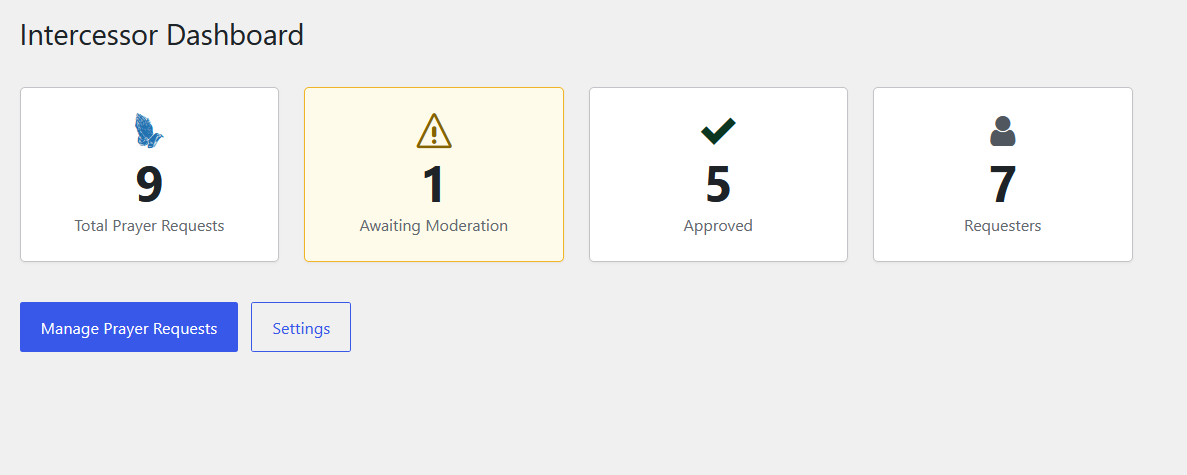
Screenshot note: The figures shown above are example data from a live installation. Your totals will depend on the prayer requests and requesters stored on your site.
Dashboard overview
The dashboard presents four high-level counters:
| Card | What it shows |
|---|---|
| Total Prayer Requests | The total number of prayer requests recorded by Intercessor. |
| Awaiting Moderation | Requests currently waiting for review. |
| Approved | Requests that have been approved. |
| Requesters | The number of requester records maintained by Intercessor. |
The dashboard also provides quick access to Manage Prayer Requests and Settings.
Typical administration flow
Use the dashboard as the starting point, then move to:
- Prayer Requests for moderation and request management.
- Requesters for submitter records and notes.
- Reports for activity analysis.
- Tools for data export/import.
- Settings for plugin behavior.
Access to these areas is controlled by Intercessor capabilities; see Roles & Permissions.
Adding requests from the administration area
The Prayer Requests administration page is not limited to reviewing website submissions. Site administrators can also use it to create a new prayer request directly.
A request can be entered as a personal request or for another person, and the administrator can select its status when saving it.
This allows a church or ministry team to record requests received through in-person ministry, telephone calls, email, services, or other channels alongside requests submitted through the website.
Next step
To begin managing individual requests, go to Prayer Requests.