Prayer Wall
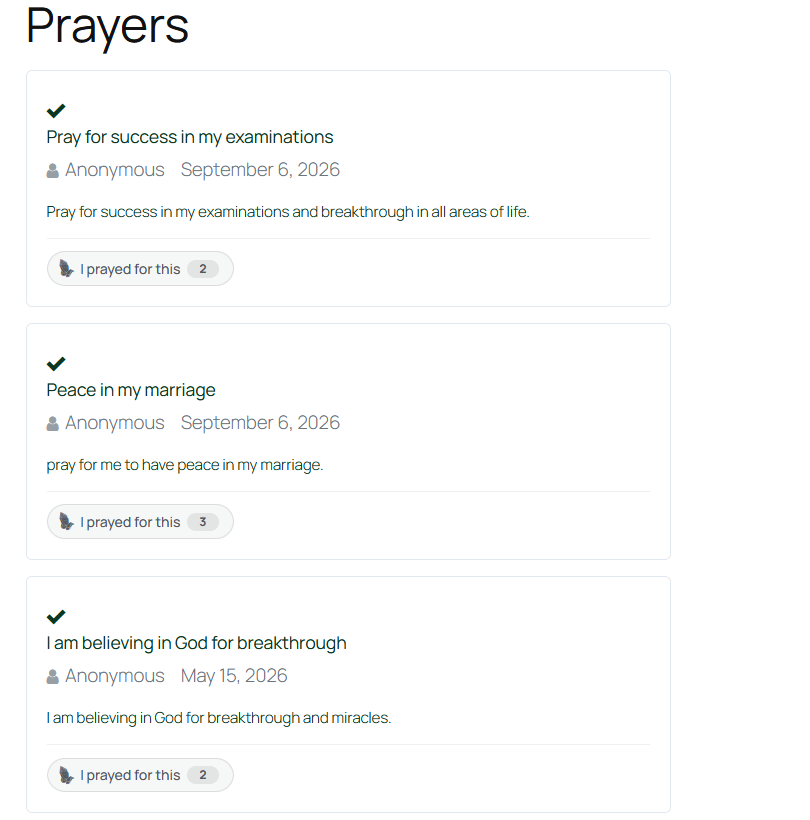
The Prayer Wall block displays approved, public prayer requests and provides a community-facing place for people to pray for submitted requests.
Add the block
In the WordPress block editor:
- Open the page where the Prayer Wall should appear.
- Add the Prayer Wall block.
- Configure its display options.
- Publish or update the page.
Block options
The block supports:
| Option | Default | Purpose |
|---|---|---|
| Requests per page | 10 | Number of requests displayed per page |
| Show date | Enabled | Displays the submission date |
| Show author | Enabled | Displays the requester name when applicable |
| Status | approved | Controls the status queried by the block |
Public visitors are prevented from using the block to expose private requests. The implementation forces public callers back to Approved when the Private status is requested.
Pagination
The Prayer Wall uses the ipage query parameter for pagination. This avoids collision with WordPress's normal paged parameter.
I prayed for this
The Prayer Wall integrates with Intercessor's prayed-count tracking. Logged-in and anonymous visitors can contribute to the prayer count. Repeated interactions are tracked according to the plugin's interaction rules rather than simply creating unlimited duplicate rows.
TIP
Keep the Prayer Wall focused on Approved requests. This is also the plugin's default behavior and provides the safest public-facing configuration.