Settings
Intercessor settings are available under Intercessor → Settings and are organized into tabs.
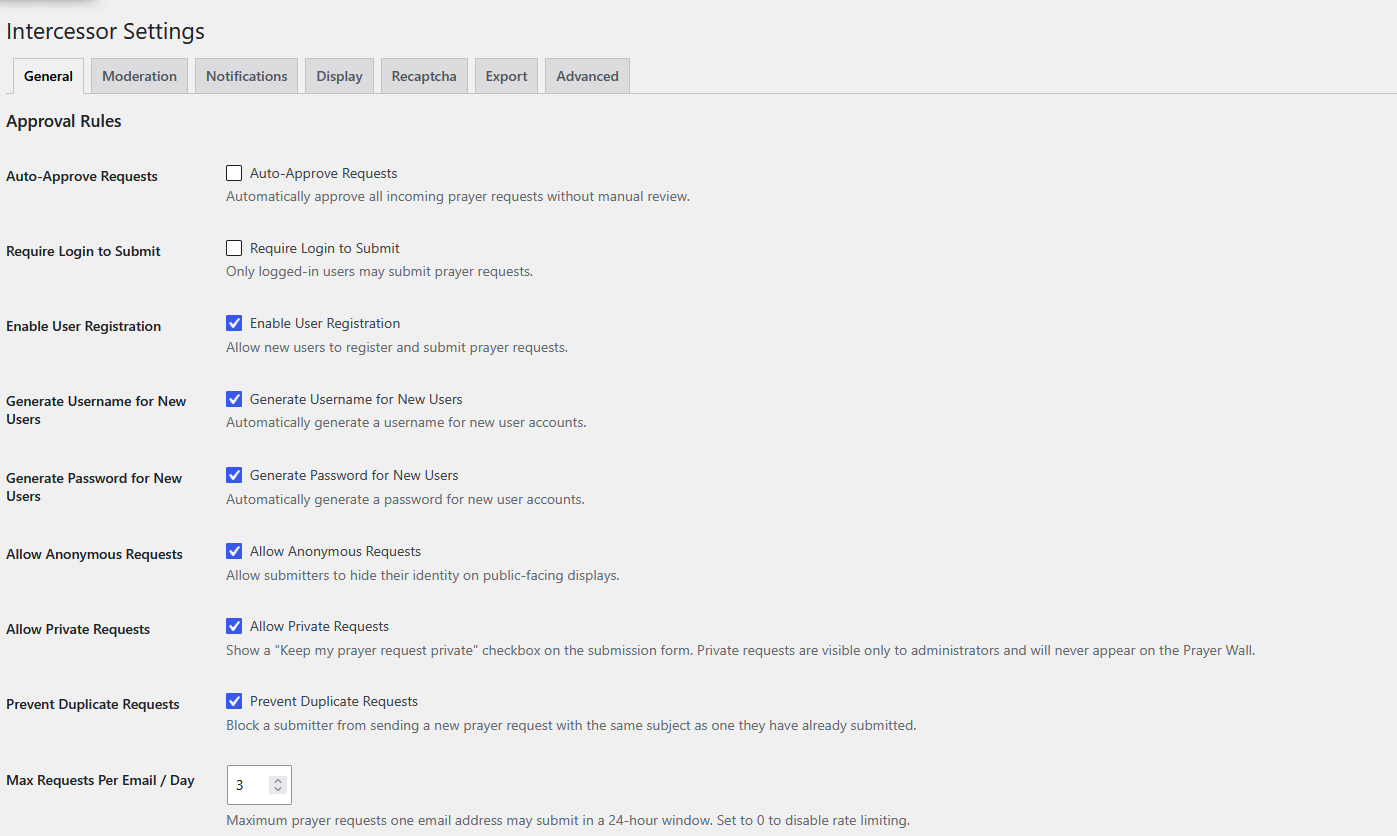
Screenshot note: This screenshot shows an example configuration. Enabled options and the daily request limit are site-specific; do not treat the values shown as required defaults.
General
Approval Rules
The General tab controls the main submission and approval behavior.
- Auto-Approve Requests — automatically starts ordinary requests as Approved.
- Require Login to Submit — limits submission to logged-in users.
- Enable User Registration — enables registration-related submission behavior.
- Generate Username for New Users — generates usernames for new accounts.
- Generate Password for New Users — generates passwords for new accounts.
- Allow Anonymous Requests — allows public requests without showing the requester's identity.
- Allow Private Requests — enables the private-request option. Private requests are not displayed on the Prayer Wall.
- Prevent Duplicate Requests — blocks a repeated subject for the same requester.
- Max Requests Per Email / Day — sets the maximum number of requests one email address may submit in a 24-hour window. Set to
0to disable rate limiting.
Site Terms
You can configure:
- Site terms display
- Terms checkbox label
- Terms URL
- Privacy policy display
- Privacy policy label
- Privacy policy URL
- Whether acceptance is required
Moderation
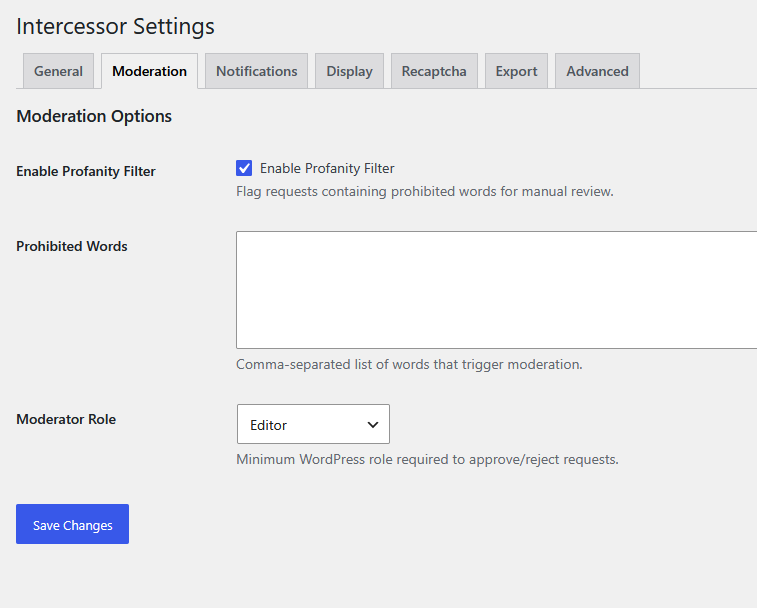
The Moderation tab includes:
- Profanity filter enable/disable
- Prohibited-word list
- Moderator role selection
The profanity list is comma-separated and matching submissions are flagged for review rather than automatically rejected.
Notifications
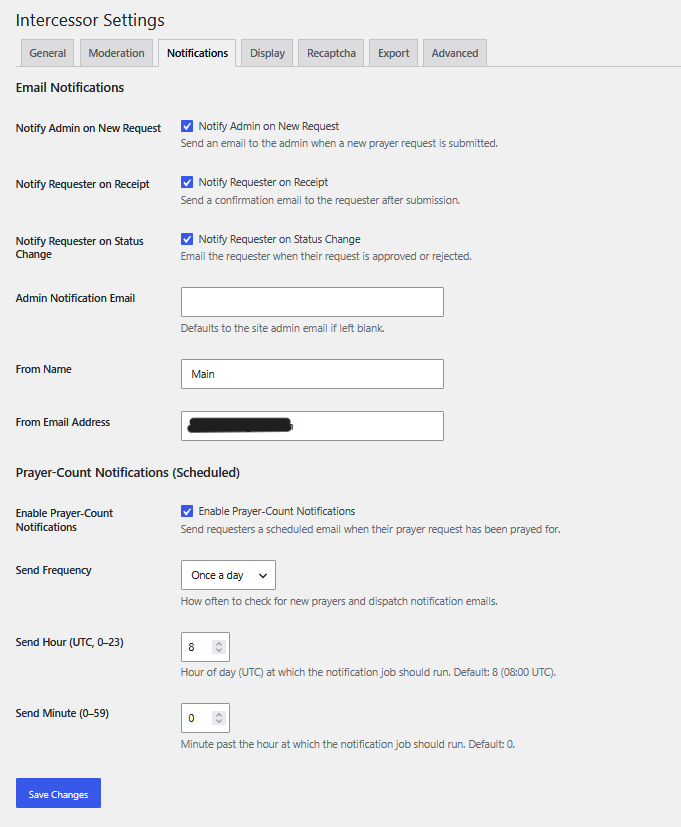
Configure administrator notifications, requester notifications, sender identity, and scheduled prayer-count notifications.
Scheduled notification frequency can be Daily, Weekly, or Monthly. Send time is specified in UTC.
Display
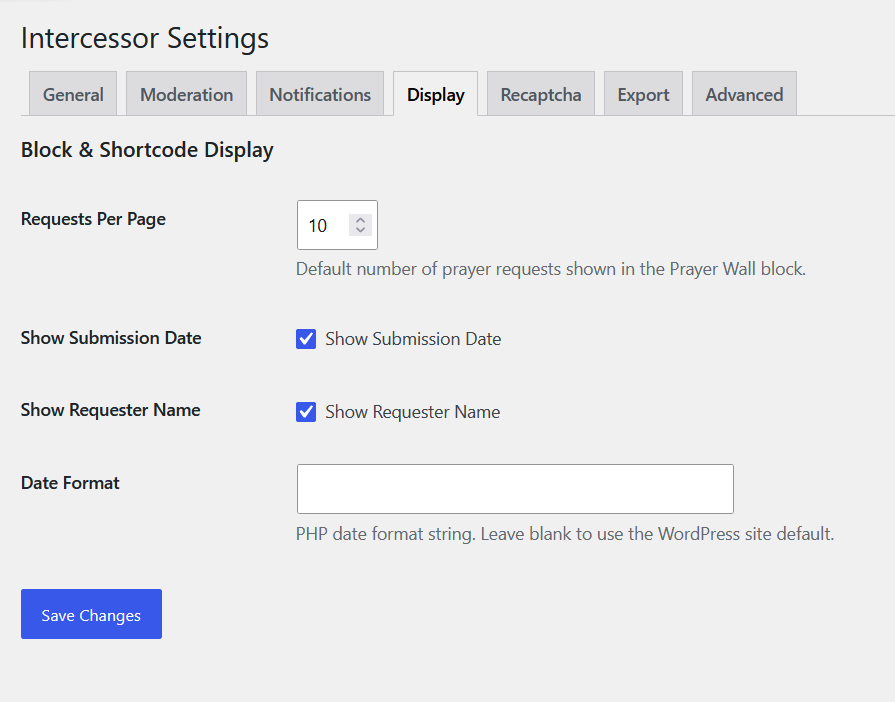
Display settings include:
- Requests per page
- Show submission date
- Show requester name
- Date format
These values provide defaults for front-end displays such as the Prayer Wall.
reCAPTCHA
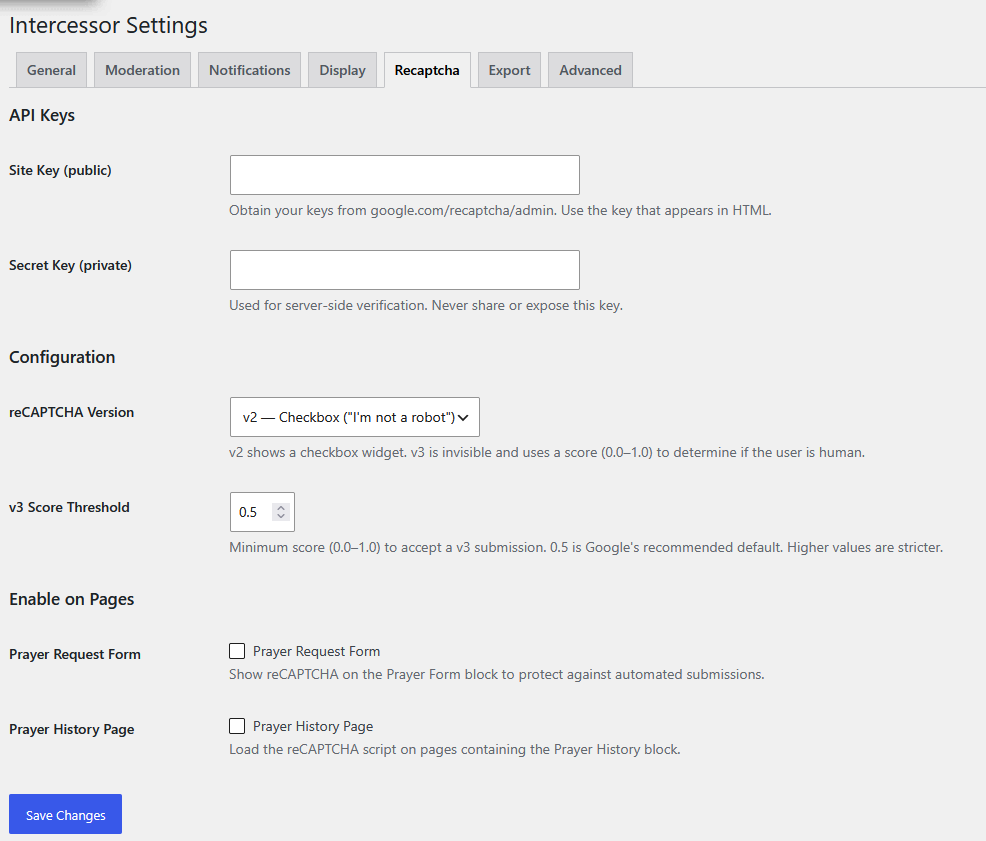
Intercessor supports:
- v2 Checkbox
- v3 Invisible / score-based
Configure the site key, secret key, v3 score threshold, and which Intercessor pages should use the protection.
WARNING
Never expose the reCAPTCHA secret key. It is used for server-side verification.
Export
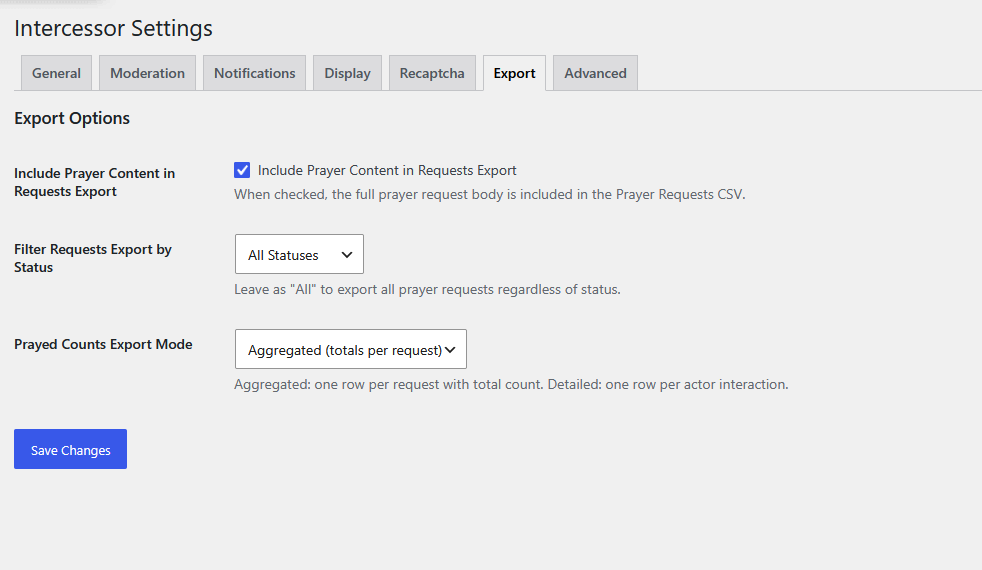
Export settings control whether prayer content is included in request exports, which request statuses are exported, and whether prayed-count exports are aggregated or detailed.
Advanced
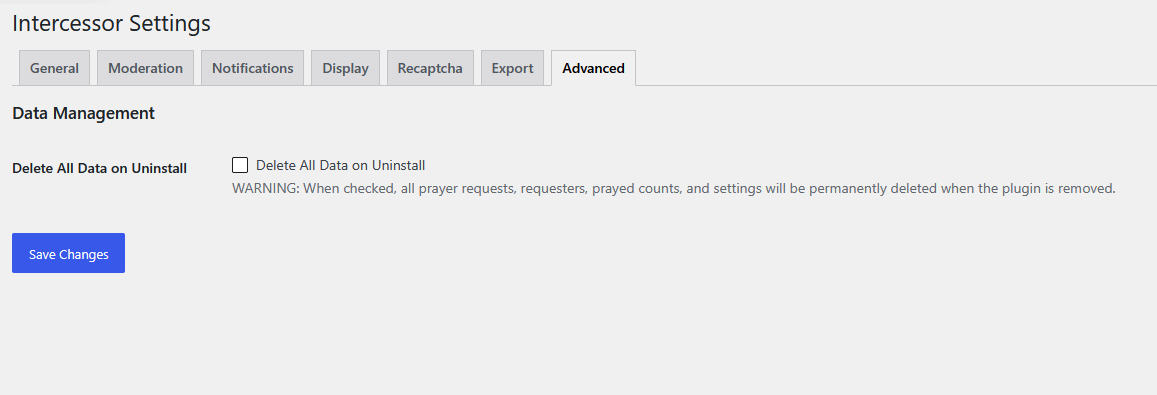
Delete All Data on Uninstall controls whether Intercessor permanently removes its stored data when the plugin is uninstalled.
This option is disabled by default.
Detailed reference
For a compact list of the available settings and what each controls, see Settings Reference.
UI screenshot index
See UI & Screenshots for the current collection of interface screenshots.