Prayer Requests
Intercessor stores submitted prayer requests in its own WordPress database tables and provides an administrative workflow for reviewing, updating, and organizing them.
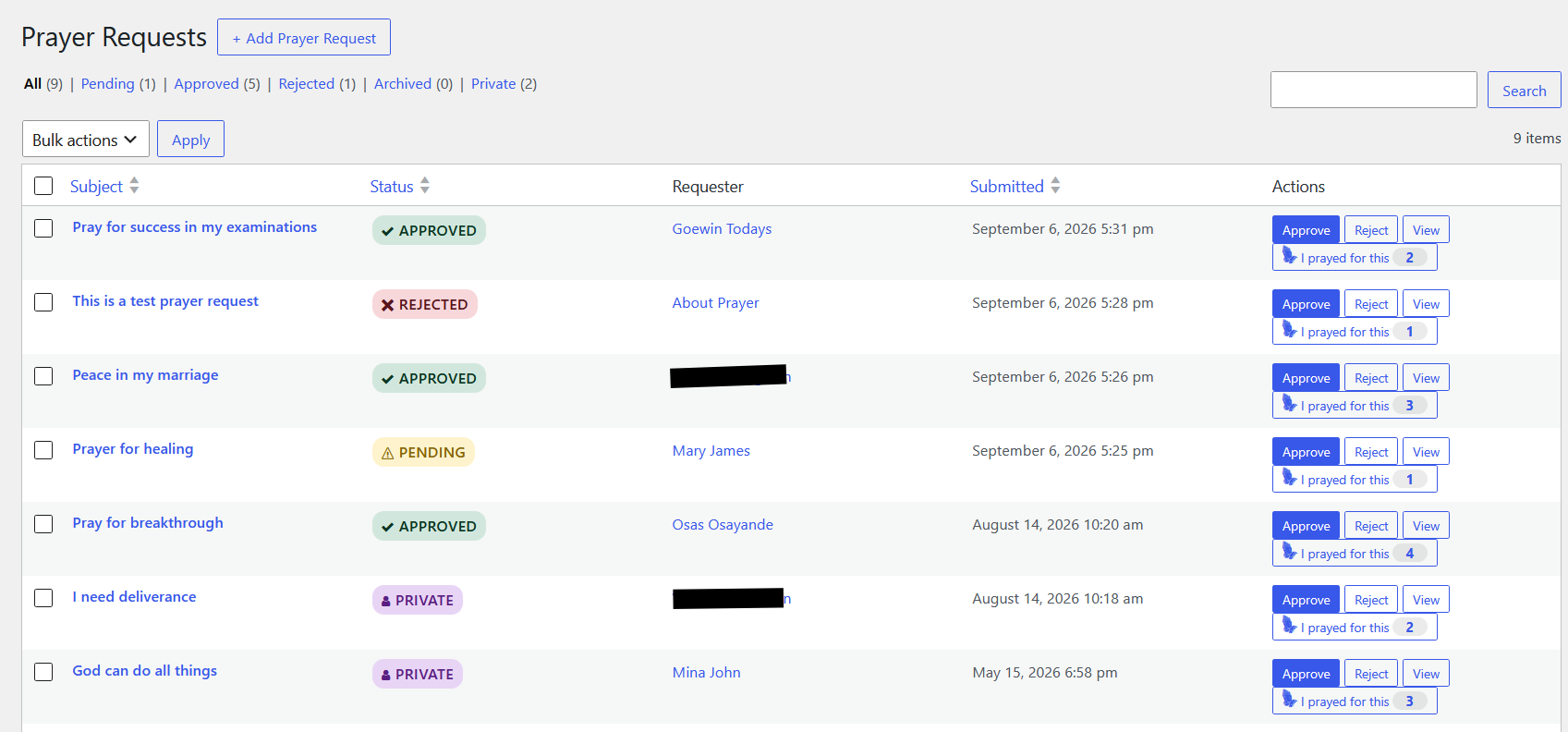
Screenshot note: The requests, statuses, and counts shown above are example data from a live installation. Your list will reflect your own site's submissions.
Request lifecycle
A new request normally starts as Pending unless automatic approval is enabled. Requests can move through these statuses:
- Pending — awaiting review.
- Approved — approved for public display when the request is public.
- Rejected — declined during moderation.
- Archived — retained but removed from the active workflow.
- Private — intentionally hidden from public displays.
The plugin records status changes in a history table, creating an audit trail of the request lifecycle.
Public vs. private
A request has both a status and a public-visibility flag. A private request is stored with private status and is not publicly displayed. Public REST and Prayer Wall output also excludes private requests for non-moderators.
Anonymous requests
Anonymous and private are different:
| Option | Publicly visible? | Requester identity shown? |
|---|---|---|
| Normal | Yes, when approved | Yes, subject to display settings |
| Anonymous | Yes, when approved | No |
| Private | No | No public display |
Moderator notes
Moderators can attach notes to an individual request. Notes may be marked private. Private notes are intended for internal administration and are not part of the public prayer display.
Bulk moderation
The Prayer Requests list supports bulk processing, making it practical to review several requests together rather than opening every request individually.
TIP
Use Pending as your normal moderation queue when you want staff to review submissions before they appear on the Prayer Wall.
Add a prayer request from the Prayer Requests page
Site administrators can create a prayer request directly from Intercessor → Prayer Requests → Add Prayer Request. This is useful when a request is received outside the website, such as in person, by phone, by email, or during a church service.
When creating a request from the administration area, the site administrator can choose whether the prayer request is:
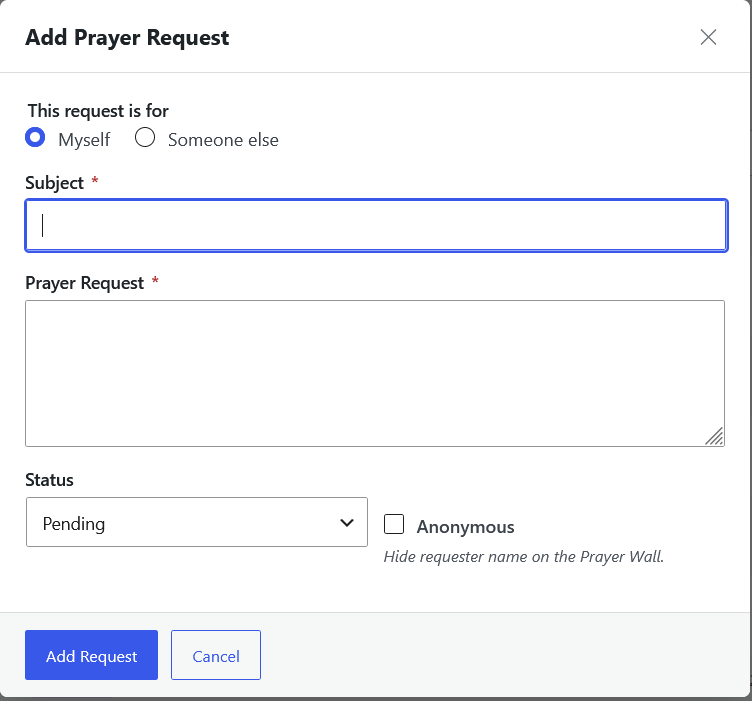
- Personal — the administrator is submitting the request for themselves.
- For another person — the administrator is submitting the request on behalf of someone else.
The administrator can also choose the request's status when creating it. This makes it possible to add a request directly as Pending, Approved, Rejected, Archived, or Private according to the site's workflow and the administrator's permissions.
Personal prayer request
Choose the personal option when the request belongs to the administrator who is entering it. Enter the prayer-request details and select the appropriate status before saving.
Prayer request for another person
Choose the option for another person when entering a request on someone else's behalf. Provide the relevant requester information together with the prayer-request details.
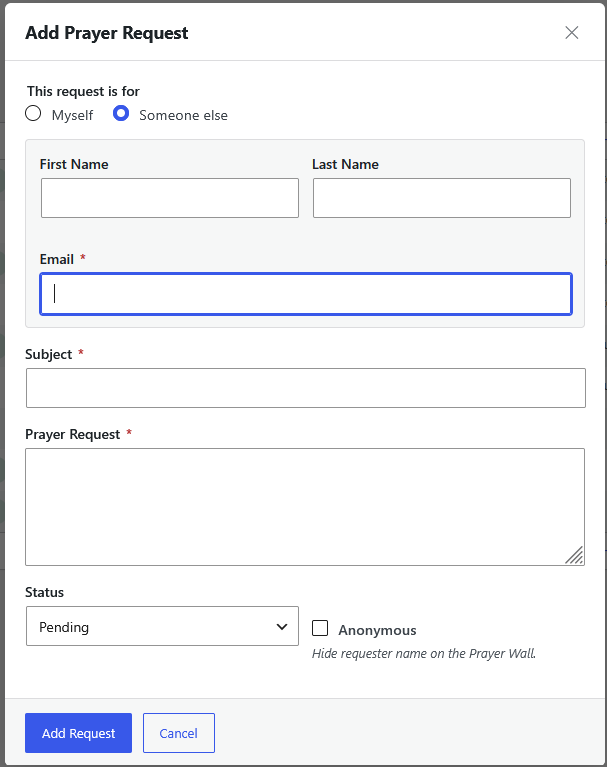
This workflow is particularly useful for requests collected through offline ministry channels because the requester does not need to submit the request through the public Prayer Form.
Choosing the status
Unlike a normal public submission, where the initial status is determined by the site's approval settings, an administrator creating a request can select the appropriate status during creation. For example:
| Situation | Suggested status |
|---|---|
| Request needs staff review | Pending |
| Request is ready for public display | Approved |
| Request should not be accepted | Rejected |
| Request should be retained but removed from active workflow | Archived |
| Request must remain hidden from public display | Private |
TIP
Administrator-created requests are especially useful for keeping Intercessor as the central record for prayer requests received through both online and offline ministry channels.